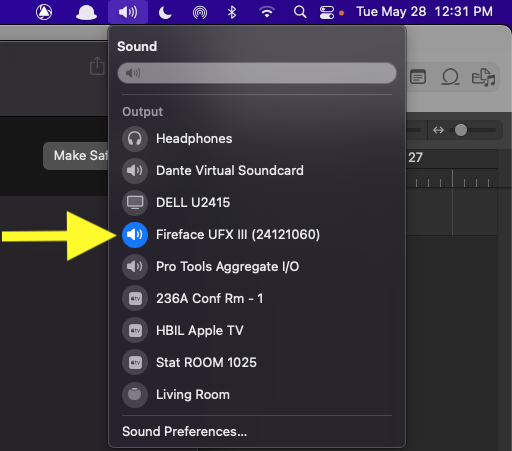
For basic playback in 317, follow these steps.
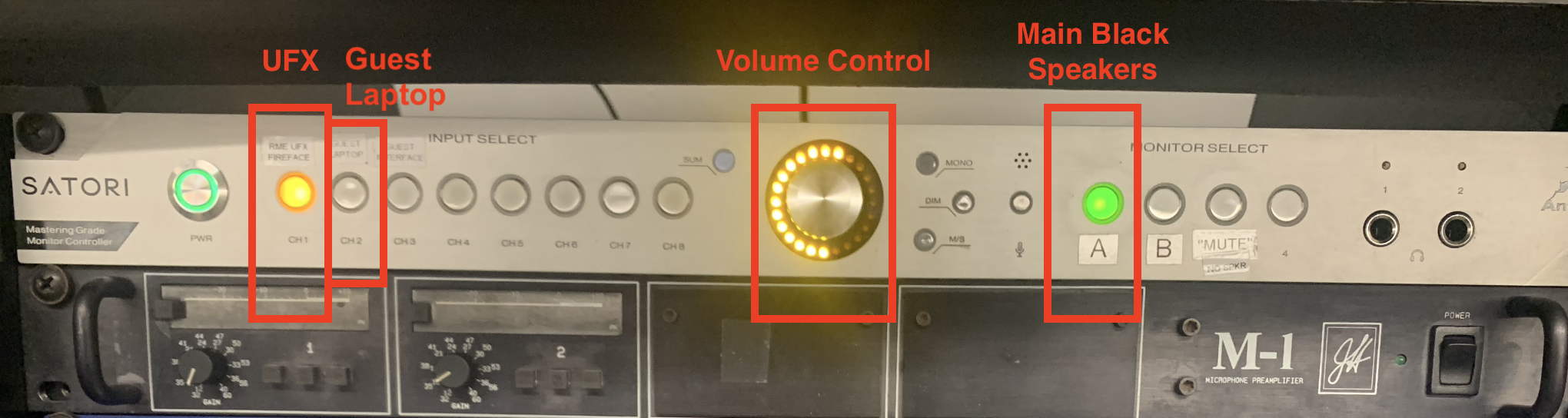
• When using the studio computer, on the Satori controller, make sure that "UFX FIREFACE" is selected as the INPUT device. If using your laptop or other device, select "GUEST LAPTOP instead. Furthermore, make sure "A" is selected as the OUTPUT device (A are the Adams speakers, B are the Avantone), and make sure that the volume is up.
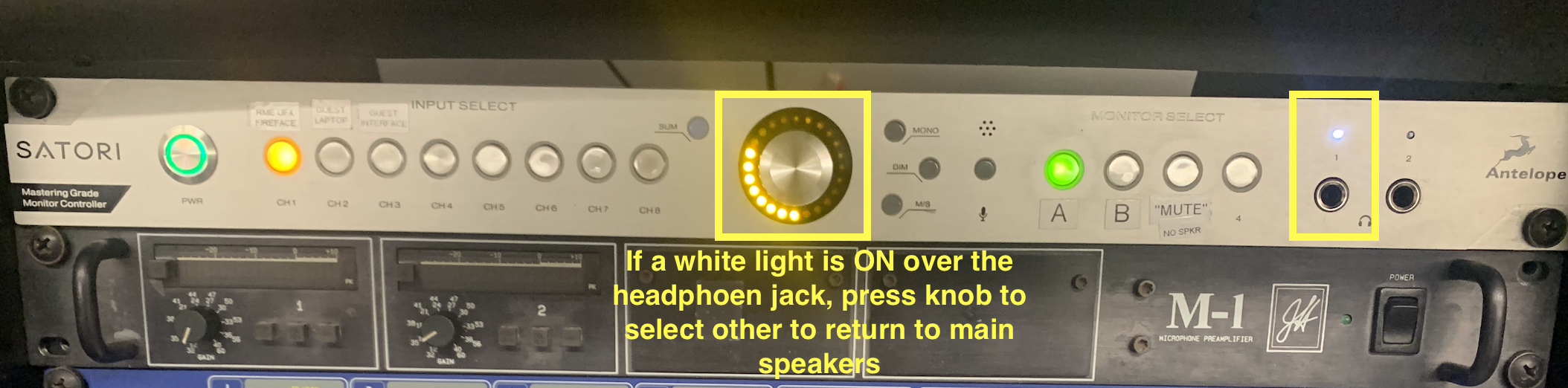
• Also on the Satori controller, make sure that the volume is controlling the speakers and not the headphones: if there's a white light near the headphone connectors, then PRESS the VOLUME button until all the lights are OFF.
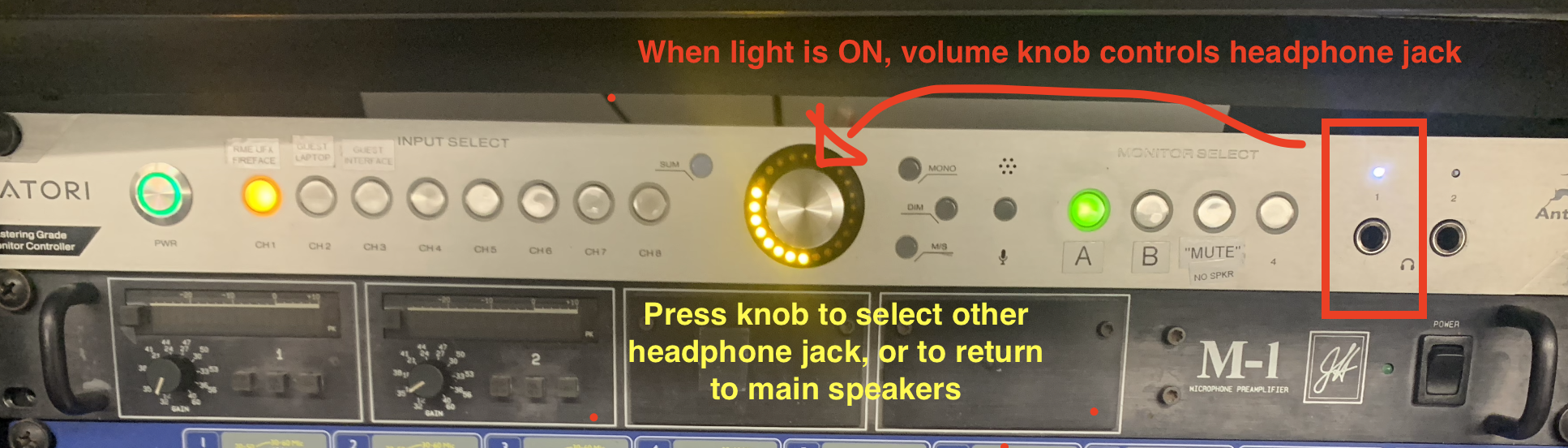
• If you want to use the headphones with the Satori, then connect headphones, and press the VOLUME button until a white light appears above the desired headphone connector, and then adjust the volume. Remember that the headphones on the Satori playback exactly the same signal as the speakers.
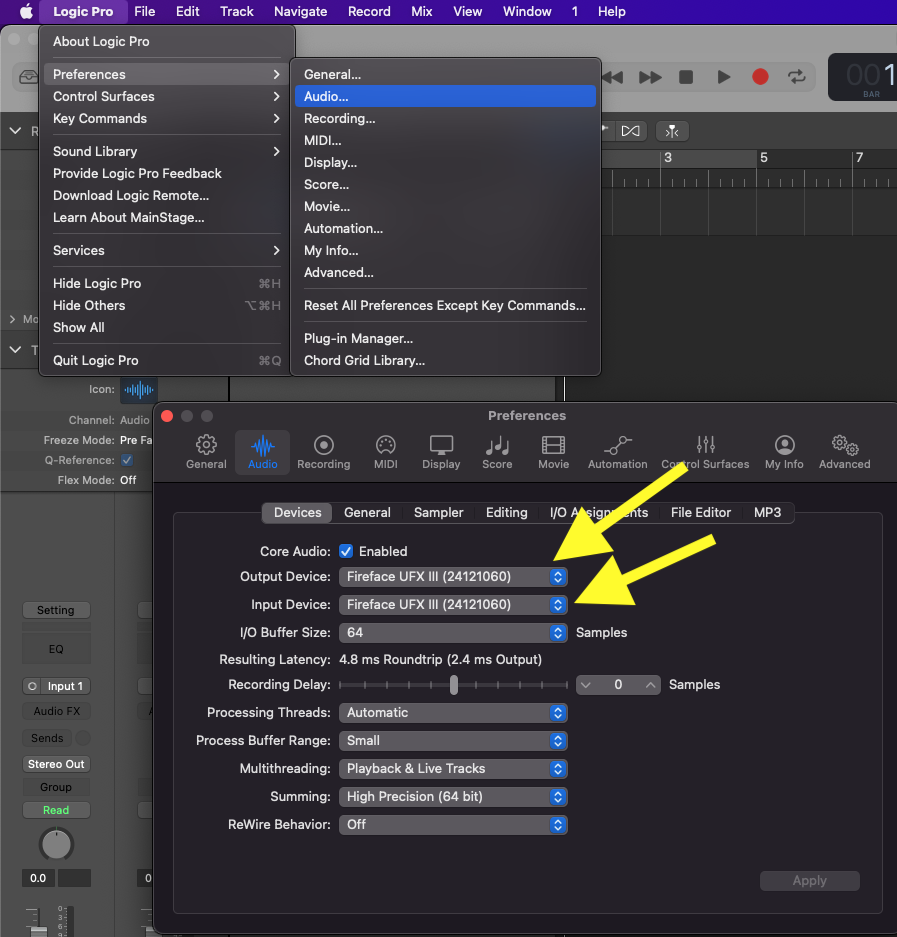
• If the Satori is correctly setup and you're still not getting sound to play, then check that your software is using the UFX as its device. In Logic, go the Logic Menu->Preferences->Audio->Devices, and select the "Fireface UFX III" as both the OUTPUT and INPUT device.
• To get playback from the web or other basic computer apps, make sure that "Fireface UFX III" is selected as the Mac output device: