
*** Please complete all assignments completing this one ***
Description:
Remixing ONE of the songs from the mixing assignment. Your remix can (and should) be as wildly different to the original as you can imagine. You either make a ~15sec "hook" (i.e. a short musical pattern that can repeated), OR simply add effects to various tracks without editing them or changing the timing. All forms of processing, editing, and modifications are OK. Though you must use only the original stems as your source material, and you cannot add any software instruments or MIDI parts, you may, optionally, record up to ONE new track, which can be any sound you want.
You do not have to edit to a grid, but if you're opting to make a beat-based remix (as opposed to a more atmospheric remix), then choosing a tempo and editing to the grid might be very helpful.
As an example of what to do, you can see these two examples:
• My hook remix of the Colin McPhee (see email), which I showed in class. Just place this Logic file in the "Glen McPhee - A Sailor Once More" folder on your computer.
• The Scientist mixes Ted Sirota's Heavyweight Dub
As a reminder, these are the tools/techniques we looked at in class:
• Delay>Stereo Delay, Delay Designer
• Amp and Pedals>Amp Designer
• Amp and Pedals>Bass Amp Designer
• Multi Effects>Phat FX
• Modulation>Ring Shifter [Chorus, Flanger]
[• Region Editor>Transpose]
• Region Editor>Reverse
• Automate the send level to send a short segment of a track to a shared effect.
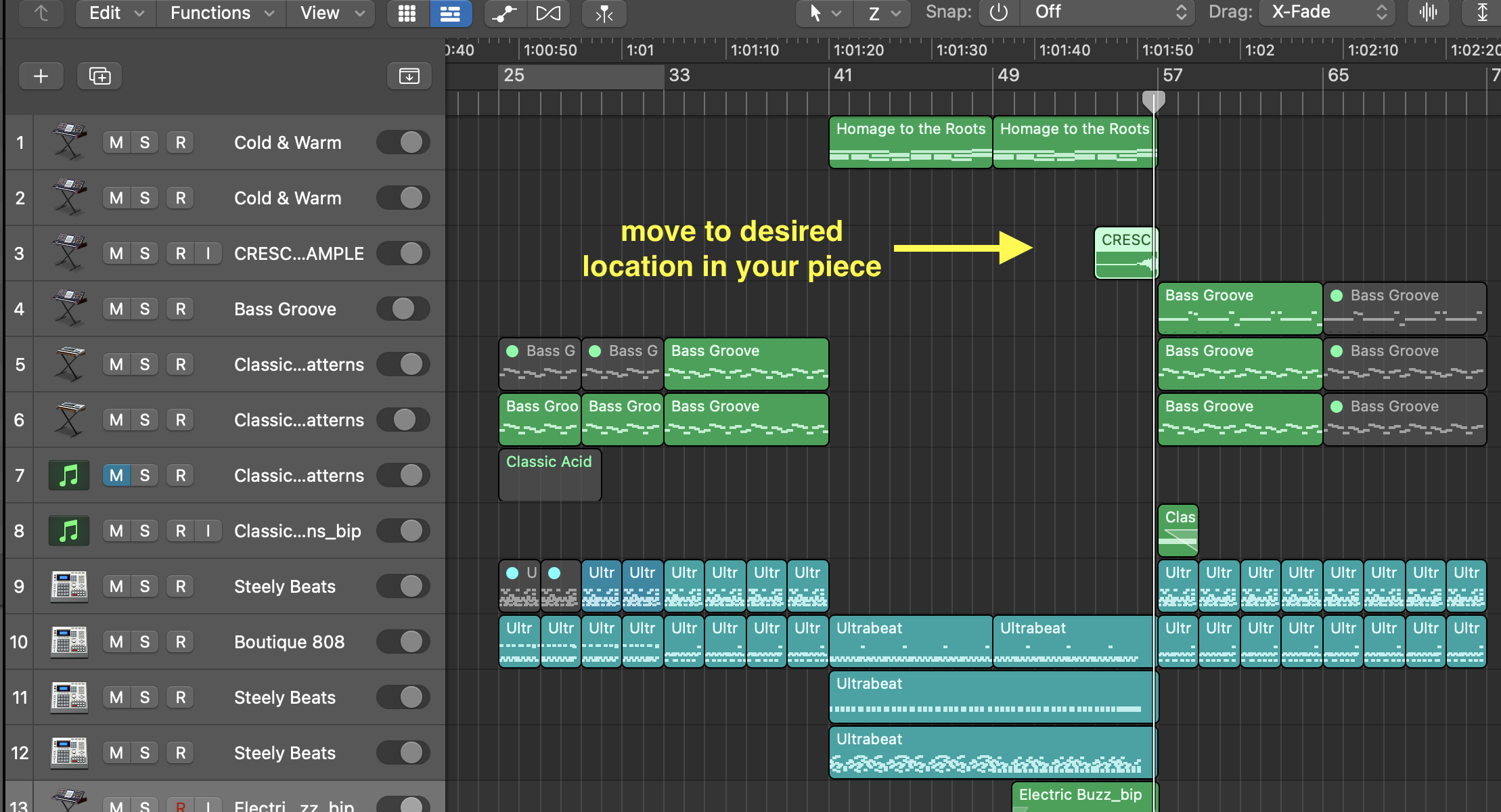
Here are the steps to create the reverse "swoosh" effect I demonstrated.
• Create a new track with duplicate settings and edit onto it a short sound from a longer file. Drum sounds tend to work best.

• Add very long reverb to the track, and make the WET control 100%, and DRY 50-100%.
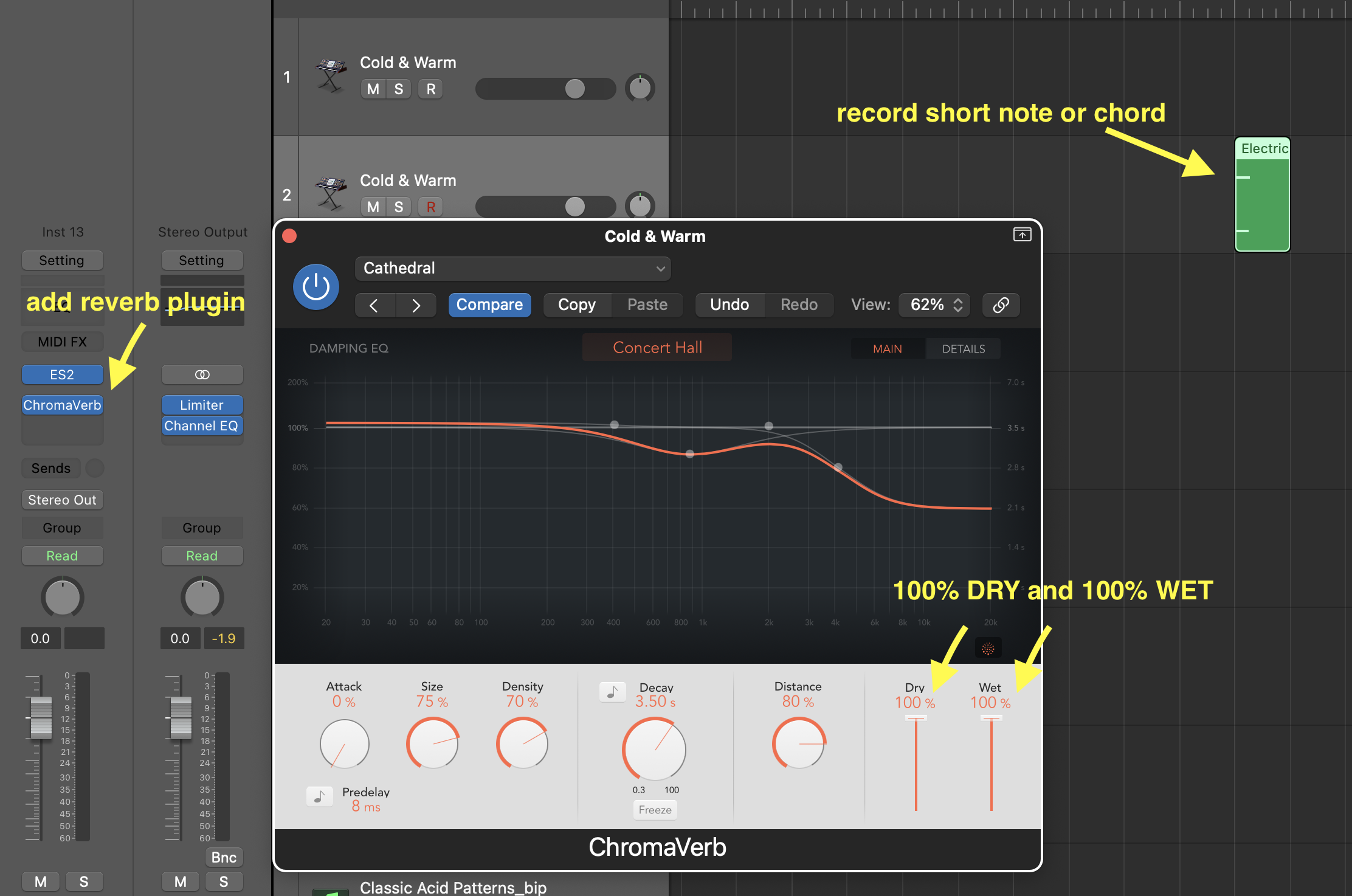
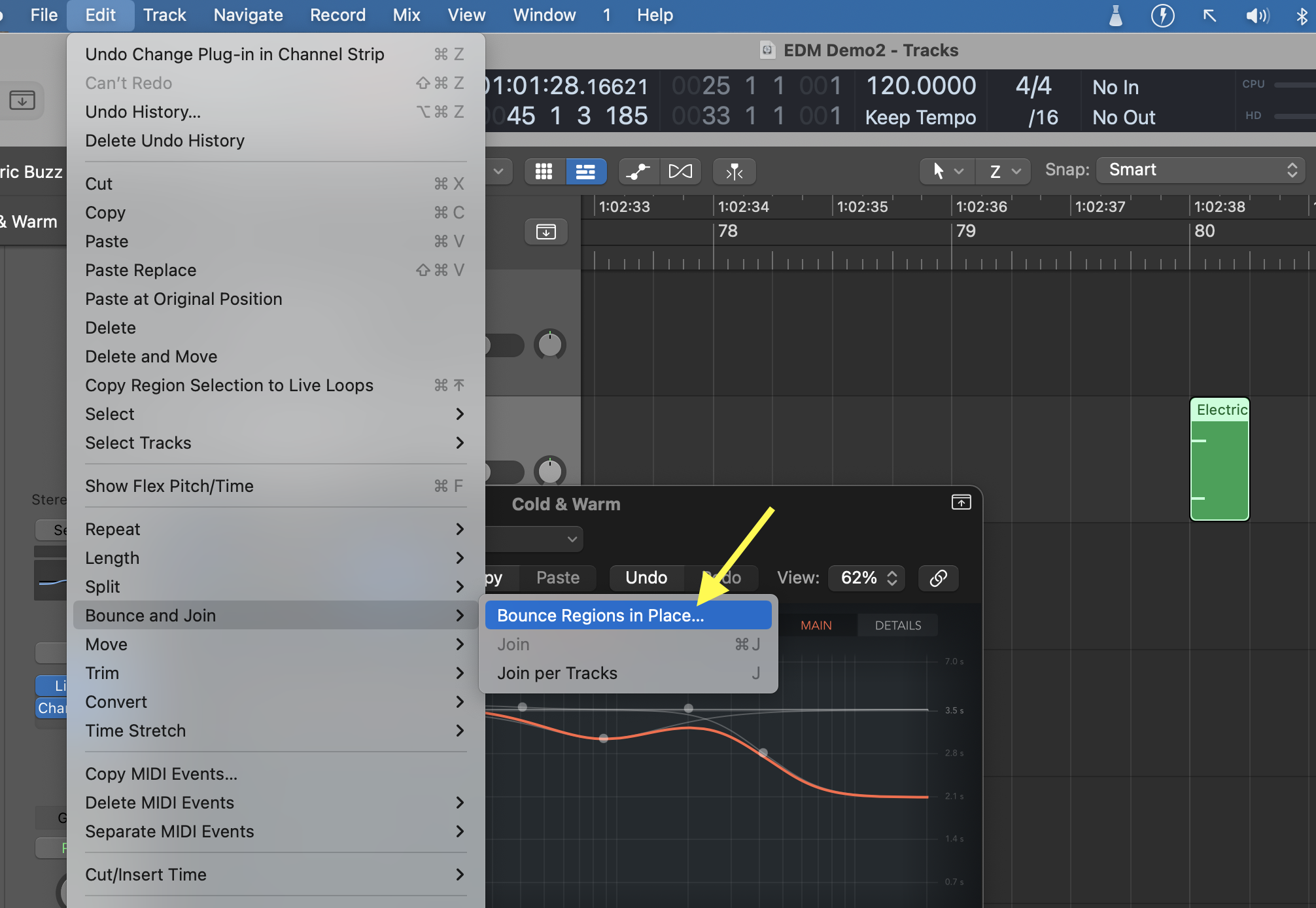
• Select the audio region of short sound and go to Edit>Bounce and Join>Bounce in Place
• Apply these settings:
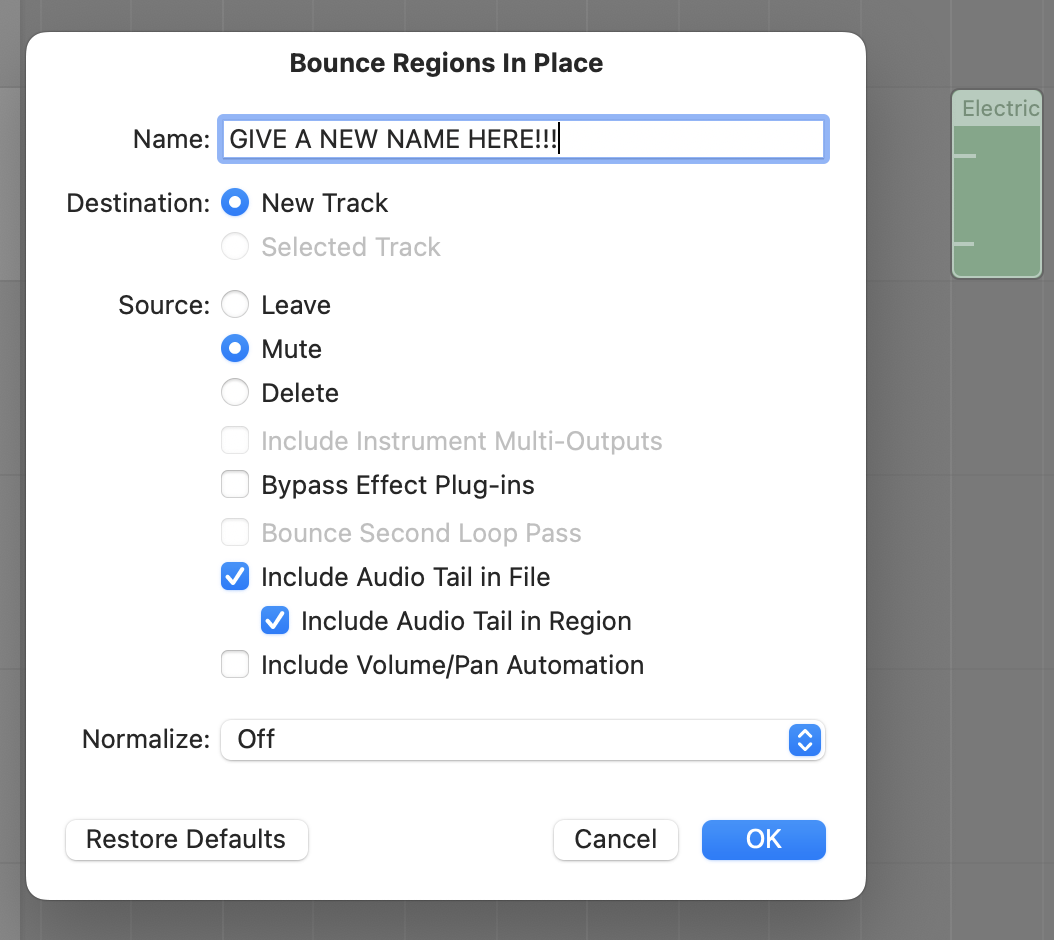
• Click on "Bounce". A new AUDIO track will be created with the sound of the short midi note and long reverb.
• Click on "reverse" in the Region editor.
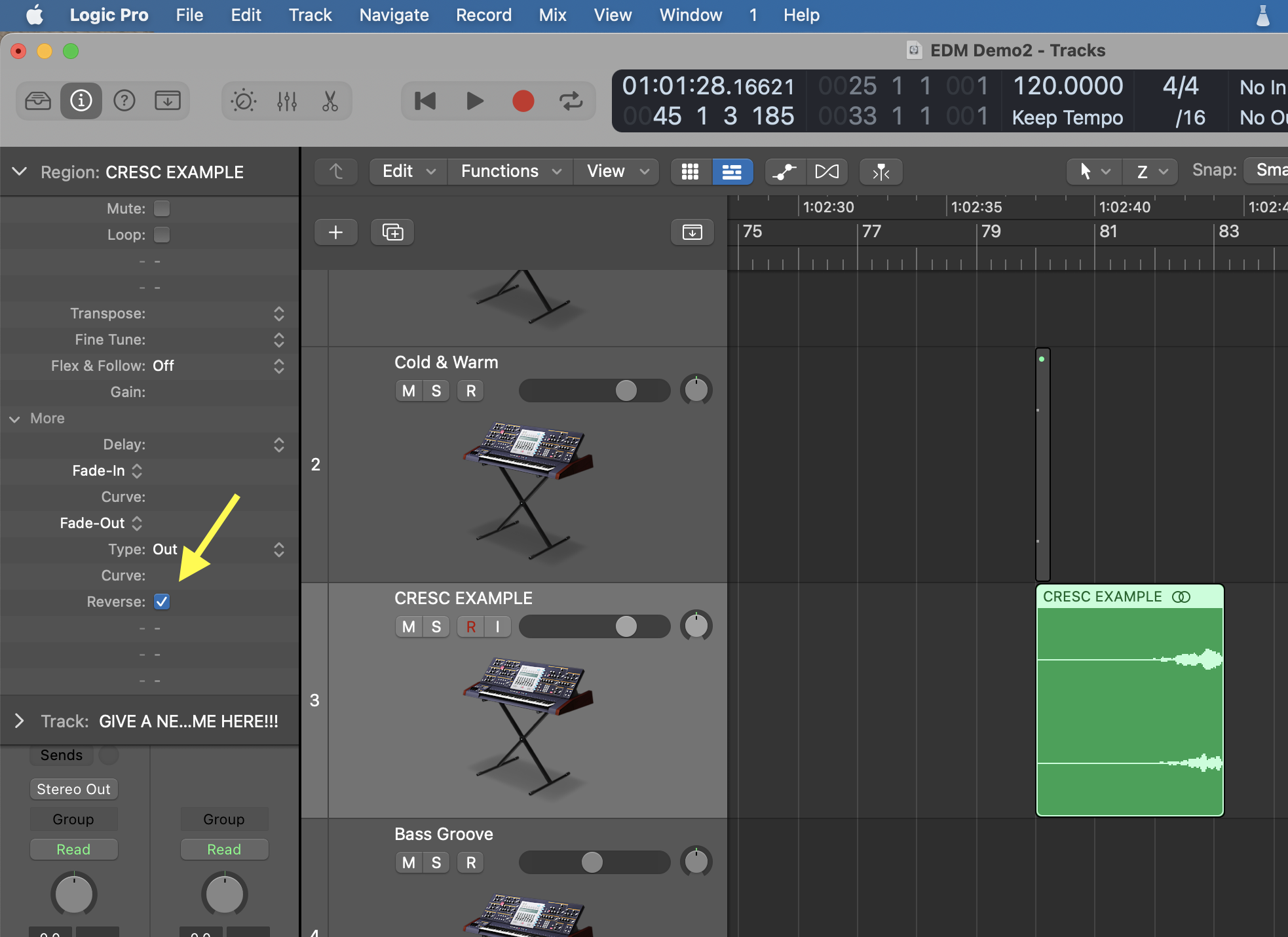
• Line up this new audio file at the appropriate moment in the piece.
Requirements:
• You must use automation
• You must use panning to create a sense of stereo panorama
• You must use reverb to create a sense of near and far
• You must use, at least once, the reverse function, and one transposition
• In addition to EQ and compression, you must use at least THREE different processing plugins.
Be prepared to present your Logic project in our individual meetings
Grading:
/4 layers
/2 automation, panning, reverse, transposition
/2 reverb for distance
/2 Three plugins
Total /10